πŸ“ž +91-98765 43210
πŸ• Mon–Sat: 9:00 AM – 7:00 PM
πŸ“ Clinic Name, City, India
Book Appointment
Live WebSocket Sync β€” No Refresh Needed

End the Paper Slip Era.
Go Digital. Go Live.

ClinicQ gives every patient in your waiting room a live token number and real wait time β€” right on their phone. Your receptionist manages everything in seconds, from one screen.

πŸ“± Patient Waiting Room
βœ“
Add patient in <5 seconds
βœ“
Zero page refresh
βœ“
Real wait time data
πŸ“± Patient View Live
Now Serving
14
⏱ 3:42 remaining
Ravi Kumar
🟒 Next
16
Priya Sharma
~12 min
17
Anita Singh
~22 min
<5s
Time to add a patient
0
Page refreshes needed
Real
Wait time source
8+
Edge cases handled

Built for India's Neighbourhood Clinics

76% of India's 1.5 million clinics still rely on paper token slips and memory. ClinicQ replaces that with a fully digital, real-time queue system that works on any browser β€” no app install needed.

πŸ“±

Patients see the queue on their phone

Open the patient link on any phone. Token updates arrive live β€” no refresh ever needed.

⚑

Receptionist adds patients in 3–5 seconds

One required field. Enter key submits. Token assigned instantly. Input auto-clears and re-focuses.

πŸ“Š

Wait times based on real consultation data

After 2 consultations, ClinicQ calculates a rolling average of actual durations β€” not a hardcoded guess.

Get Started β†’
β—±
β—΄
πŸ‘₯
πŸ“±
Queue Dashboard
Tuesday, 17 June
Server Online
3
Waiting
7
Served
8
Avg min
5
Samples
Now Serving
08
Ravi Kumar
Waiting Queue
3 patients waiting
Sneha Verma
10
Rahul Gupta
~8 min
11
Kavita Joshi
~16 min
βœ… All screens updated instantly

Three steps to a smarter waiting room

No training required. No app to install. Just open the browser and start.

✍️
1

Receptionist registers the patient

Enter the patient name β€” press Enter. ClinicQ assigns the next token number automatically in under 5 seconds.

β†’
πŸ“’
2

Doctor calls the next token

One click on "Call Next" advances the queue. Every connected screen updates in real-time β€” no announcement needed.

β†’
πŸ“±
3

Patient watches the queue live

Open the patient link on any phone. See the current token, your position, and an estimated wait β€” updating live.

Everything a clinic actually needs

Practical features designed around real clinic workflows β€” not theoretical ones.

⚑

Under 5-Second Registration

Single required field with auto-focus. Enter key submits. Patient added, token assigned, input cleared β€” all instantly.

πŸ”„

Zero-Refresh Live Updates

Socket.IO pushes every queue change to all connected screens the moment it happens. No polling. No button to click.

πŸ“Š

Real Wait Time Algorithm

Rolling average of actual consultation durations. After 2 sessions, the estimate is based on real data β€” not guesswork.

↩

30-Second Undo Window

Called the wrong token? A 30-second undo button lets the receptionist revert the call completely β€” queue restores perfectly.

πŸ”

Patient Self-Lookup

Patients type their own token number on the patient screen to see their exact position and live estimated wait time.

πŸ“Ά

Auto-Reconnect on Network Loss

Socket.IO reconnects automatically on any network drop. Full queue state is delivered back within milliseconds of reconnecting.

πŸ”Š

Audio Token Announcements

Built-in Web Speech API integration automatically announces token numbers across the clinic's sound system the moment they are called.

Powerful Outputs & Integrations

ClinicQ goes beyond just numbers on a screen. It actively communicates with your patients and delivers rich analytics directly to your inbox.
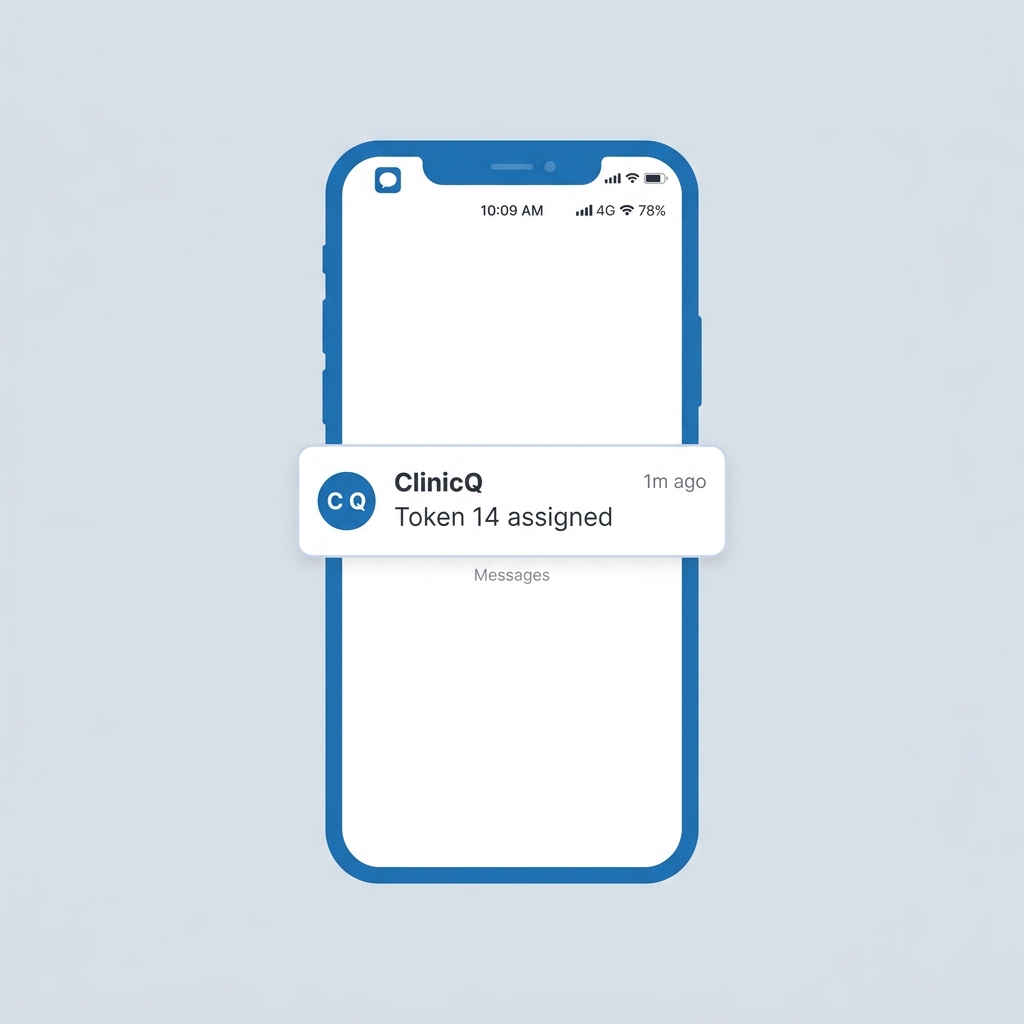
SMS Notifications Mockup
Twilio SMS

Instant Patient Alerts

Patients receive an automated SMS the moment they are registered, featuring a direct link to their live waiting room. Additional alerts notify them when they are "Next in line" and when it's their turn.
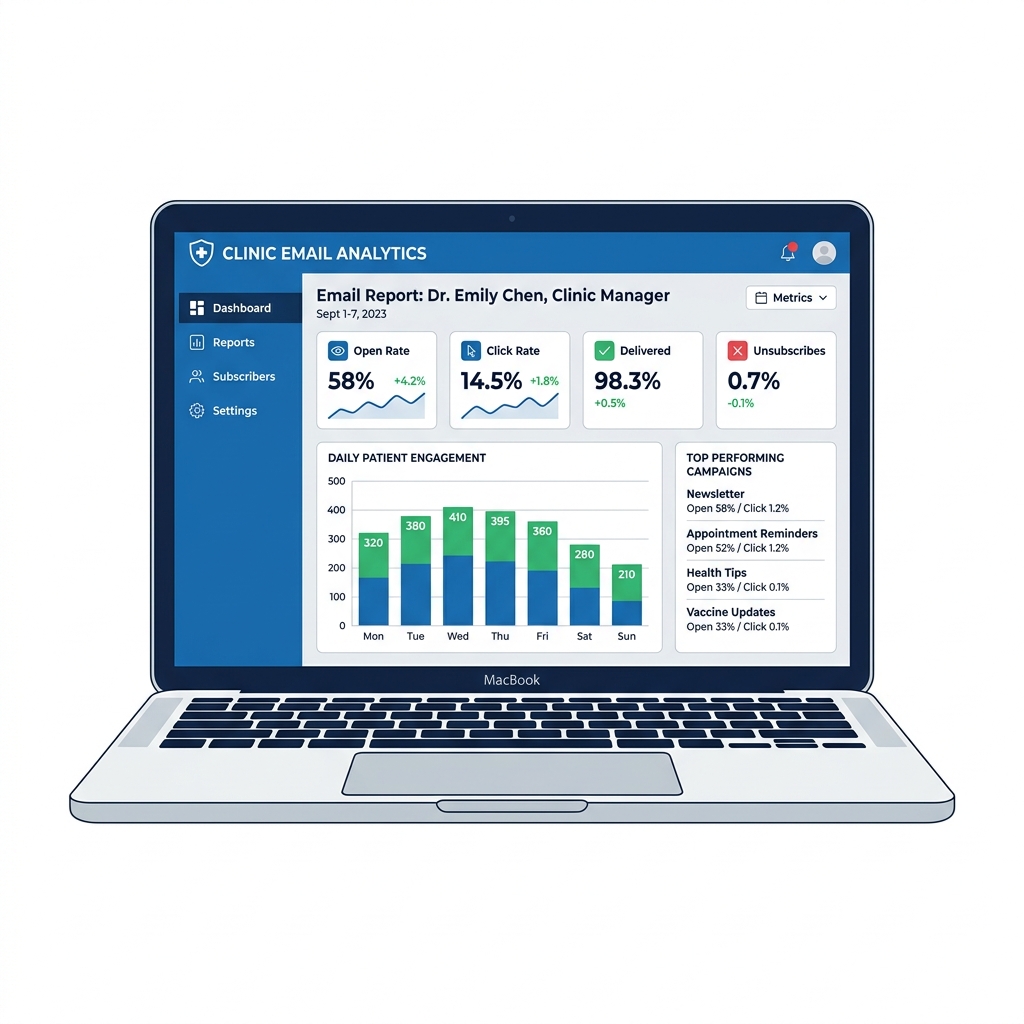
Email Analytics Dashboard

Rich Analytics Delivered

Automated daily, weekly, and monthly HTML email reports are sent to clinic management. View patient volume, peak hours, and average wait times at a glance without ever logging into the dashboard.
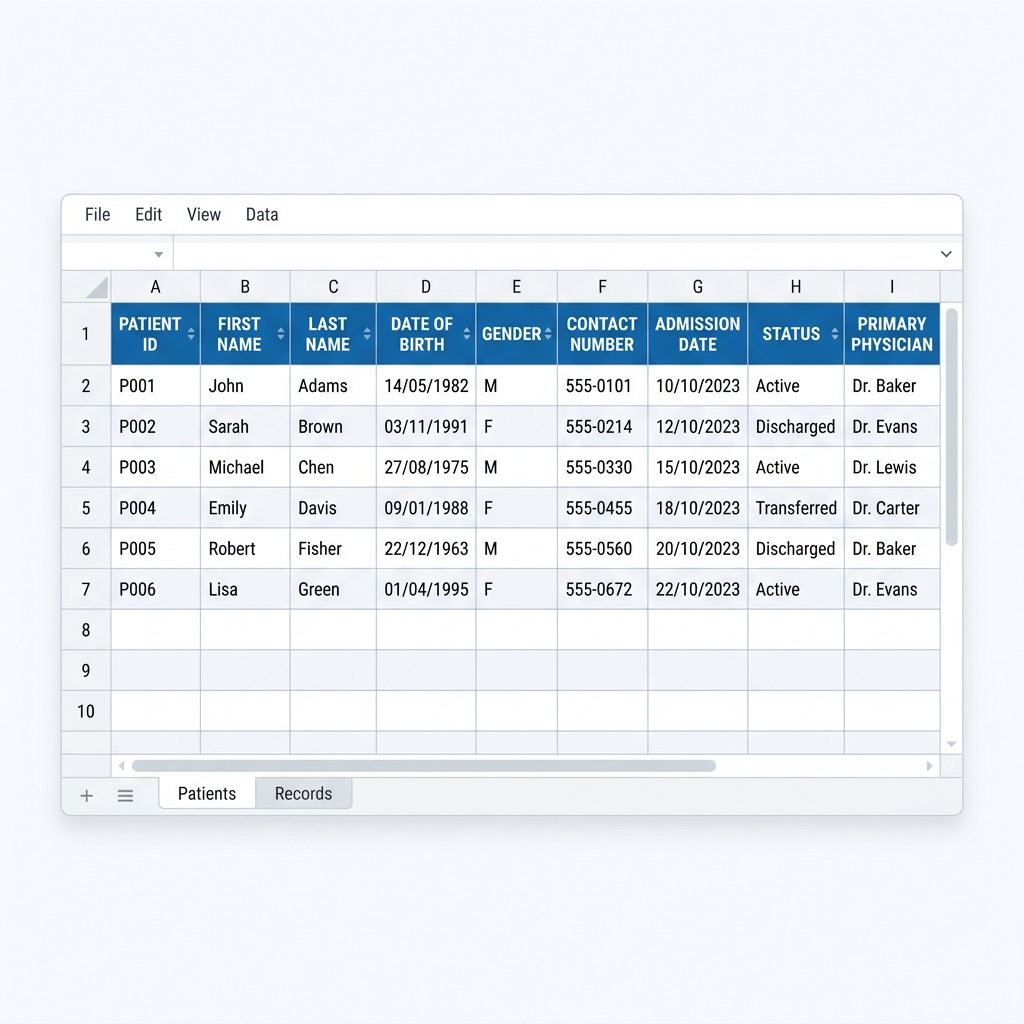
Excel Export Spreadsheet
Advanced Data

Excel Master Logs & PDF

Download your entire clinic history as a beautifully styled, multi-tab Excel spreadsheet or generate custom date-range PDF reports with integrated performance charts for deep operational review.

Unique Feature

Live Queue β€” Visible to Every Patient, Instantly

The moment you click "Call Next", the token number changes on every phone in the waiting room simultaneously. No announcements. No confusion. Just clarity.

βœ“ Real-time sync via WebSocket β€” sub-100ms update
βœ“ Works on any phone browser β€” no app install
βœ“ Token lookup: enter your number, see your wait instantly
βœ“ "Get Ready" alert when you're 1 patient away
βœ“ Fully operational even without MongoDB (in-memory mode)
πŸ“± Open Patient View πŸ–₯️ Receptionist Dashboard
πŸ“± Patient Waiting Room LIVE
Now Serving
14
In consultation right now
15
Token #15 Β· You are next!
Next
16
Token #16 Β· 1 ahead
~12 min
17
Token #17 Β· 2 ahead
~24 min

Numbers that speak for themselves

Designed to answer the three hardest questions in clinic management.

⚑
<5s
Time to register a patient and assign a token
πŸ”„
0
Times a patient needs to refresh the page
πŸ“Š
Real
Wait time source β€” actual rolling average, not hardcoded
πŸ›‘οΈ
8+
Concurrency and edge cases explicitly handled

Trusted by clinic staff and patients

β˜…β˜…β˜…β˜…β˜…

"Before ClinicQ, our receptionist used to shout token numbers from the front desk. Now patients just look at their phone. It has reduced chaos in our waiting room dramatically."

D
Dr. Meera Khanna
General Physician, Delhi
β˜…β˜…β˜…β˜…β˜…

"I could check my token from the parking lot. When it updated to show I was next, I just walked in. No anxiety, no standing near the counter the whole time."

R
Rajesh Patel
Patient, Ahmedabad
β˜…β˜…β˜…β˜…β˜…

"Adding a patient used to take 2-3 minutes with paperwork. With ClinicQ it's literally 5 seconds β€” type the name, press Enter, done. The undo button has saved me twice already."

S
Sunita Rathore
Receptionist, Jaipur

Frequently Asked Questions

No app required. The patient view is a regular web page. Patients open the link on their phone browser and the queue updates live β€” powered by WebSocket technology.
Socket.IO includes automatic reconnection with exponential backoff. When connectivity restores, each client automatically receives the full current queue state within milliseconds. No data is lost.
No. ClinicQ detects MongoDB availability at startup. If it's not reachable, it automatically falls back to in-memory mode β€” the clinic runs perfectly, data just won't persist across server restarts.
It uses a rolling average of the last 10 actual consultation durations. After 2 completions, real data overrides the manual setting. The algorithm also deducts time already elapsed in the current consultation β€” so patient #3 sees a shorter wait if the current patient is 8 minutes into a 10-minute average.
Yes. All state lives on the server. Both clients receive identical broadcasts. Since Node.js processes events serially, there are no race conditions β€” both receptionists see the same queue at all times.
A 30-second undo button appears after every "Call Next". Clicking it reverts the queue completely β€” the called patient returns to waiting, and all wait times recalculate. After 30 seconds the button disappears permanently.

Ready to deploy ClinicQ at clinic?

Fill in the form and we'll reach out with setup instructions.

πŸ“ž
βœ‰οΈ
Email Address
πŸ•
Working Hours
Monday to Saturday, 9:00 AM – 7:00 PM
Send an Enquiry
We'll get back to you within 24 hours.

By submitting, you agree to our Privacy Policy and Terms of Use.